
Updated 16 September 2026. This guide was fact-checked and corrected: EnCodec is a neural audio codec, not a text-prompted generator; “OpenAI’s Jukedeck” conflated Jukedeck (a UK start-up bought by ByteDance in 2019) with OpenAI’s Jukebox (2020); the export advice mixed up WAV (uncompressed) with MP3 bitrates; NSynth is a 2017 Google Magenta research synthesizer, not a game-audio tool; iZotope RX is now at version 12; Samplesound’s tool generates samples rather than full tracks; and citations to AI-content aggregator sites were removed or replaced with vendor pages. The tool landscape has also moved on: see Eleven v3 for expressive text-to-speech, Suno and Udio for music generation, and the open-weight speech models Kokoro, F5-TTS and Chatterbox.
AI audio synthesis lets you create lifelike speech, music, and sound effects using machine learning. It’s widely used for voiceovers, music production, and gaming soundscapes. Beginners can start with tools like Descript for voice cloning or AudioCraft for music and sound effects. Here’s a quick overview:
- Popular Tools: Descript, AudioCraft, Lalals, Emvoice One
- Applications: Music creation, voice cloning, sound effects for media
- Getting Started: Install a tool, learn text-to-speech basics, and fine-tune your audio
- Best Practices: Use high-quality inputs, start with small projects, and explore tutorials
Quick Comparison:
| Application | Tool | Key Feature |
|---|---|---|
| Music Creation | Lalals | Music editing and generation |
| Voice Cloning | Descript | Podcast editing, lifelike voices |
| Sound Effects | AudioCraft | Gaming and media soundscapes |
Start simple, experiment with free tools, and expand your skills to create professional audio projects.
Tools and Platforms for AI Audio Synthesis
Popular Tools for AI Audio Synthesis
The market is packed with AI audio synthesis tools catering to various needs. Meta’s AudioCraft is a standout, offering three models built for specific tasks: MusicGen for music creation, AudioGen for sound effects, and EnCodec, a neural audio codec that compresses raw audio into the discrete tokens the other two models generate from; it takes audio as input, not text prompts [5].
Here are a few beginner-friendly tools to get started:
- Lalals: Ideal for music creation and editing.
- Emvoice One: Focused on vocal synthesis.
- Samplesound AI: An AI sample generator that creates and varies individual samples and loops from text prompts (not full tracks).
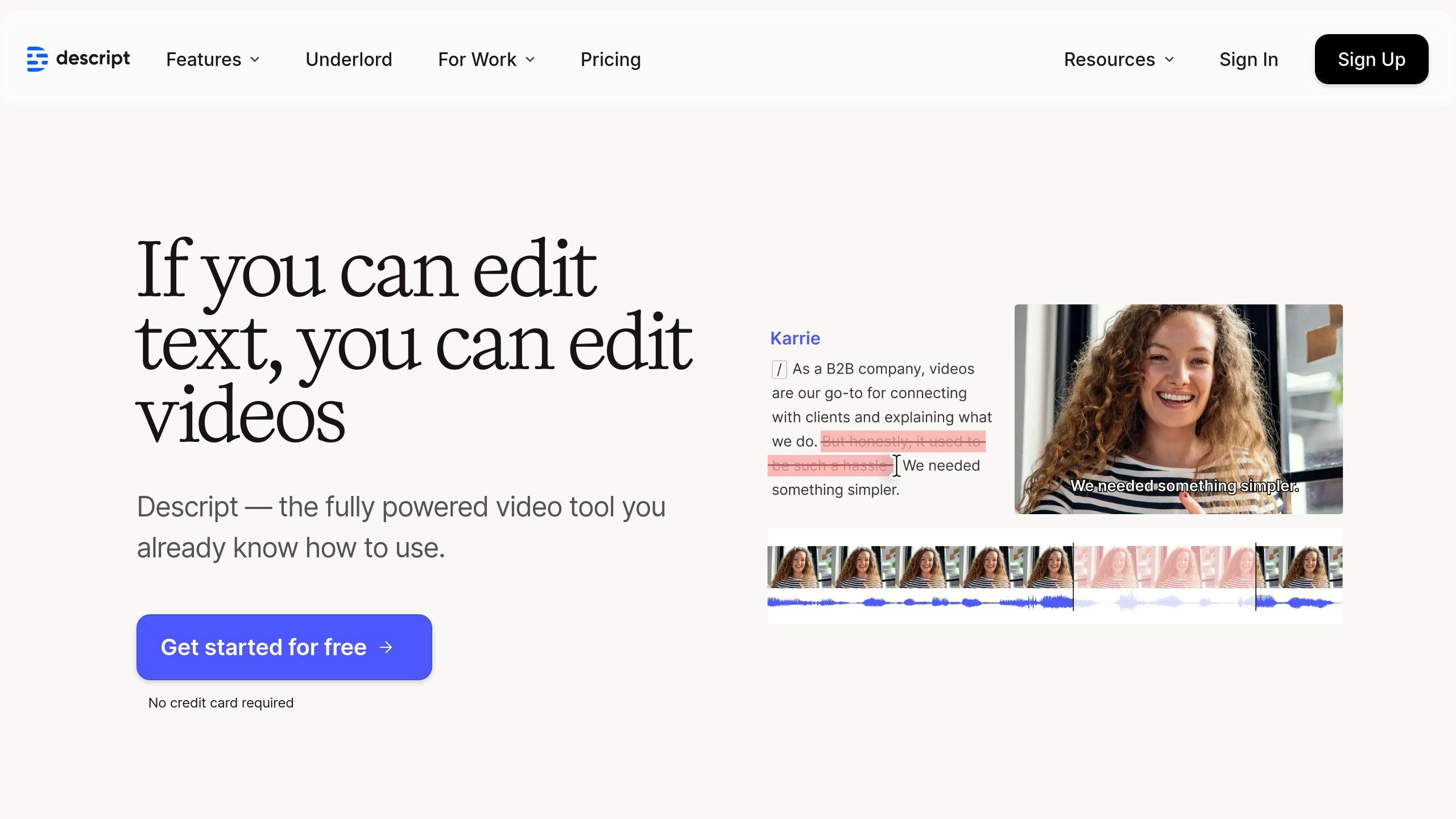
- Descript: Great for voice cloning and podcast editing.
Choosing the Right Tool and Features
Picking the right AI audio tool depends on your goals and experience level. Start by considering:
- Project complexity: Are you working on simple voiceovers or creating full music tracks?
- Budget: Free tools are a great starting point before committing to premium options.
- Technical expertise: Look for intuitive tools if you’re new to audio synthesis.
Key features to prioritize include:
- High-quality audio output: Ensures professional results.
- Customization options: Adjust voice tone, music style, and export settings to meet your needs.
- Support resources: Tutorials, forums, and technical support can make learning easier.
Platforms like AudioCraft and Descript are constantly improving with new features [5]. Starting with simpler, free tools lets you experiment and build your skills without upfront costs. As you gain confidence, you can explore advanced options that align with your growing expertise.
Steps to Create AI-Generated Audio
Step 1: Install and Set Up Your Software
Download the software of your choice directly from its official website. Make sure it fits the requirements of your project. Carefully follow the setup instructions provided by the platform to ensure everything is configured correctly for smooth operation.
Step 2: Understand AI Voice Synthesis Basics
AI voice synthesis relies on advanced models trained on extensive datasets to mimic natural speech, including variations in tone and emotion. Spend time learning how text-to-speech systems work and test different voice settings to match the output with your goals.
Step 3: Fine-Tune and Export the Audio
Polishing your audio is key to making it sound professional and aligned with your project. For top-quality results, export an uncompressed WAV file (16- or 24-bit PCM at 44.1 kHz or 48 kHz). Bitrate is not a setting for WAV: 16-bit, 44.1 kHz stereo PCM is a fixed 1,411 kbps. If you’re publishing online, a 320 kbps MP3 is the usual compressed alternative.
A foundational grasp of machine learning and audio processing concepts helps when crafting natural and expressive synthetic voices.
Once your audio is finalized, you can start exploring ways to use AI-generated audio in various projects.
Descript – Complete Beginners Guide
Applications and Use Cases for AI Audio
AI audio synthesis is opening up new possibilities, catering to both creative projects and practical needs. It’s becoming a go-to tool for professionals and enthusiasts.
Music Creation with AI
Platforms like AIVA and Boomy allow musicians to craft original tracks by adjusting parameters like mood, genre, and length – no traditional instruments or formal training required. (An earlier version of this article referred to “OpenAI’s Jukedeck”. Jukedeck was a UK start-up acquired by ByteDance in 2019; OpenAI’s music model is Jukebox, a 2020 research release rather than a consumer tool.) AIVA describes itself as an AI music generation assistant and lets users fine-tune the music to suit specific needs.
But AI audio isn’t just about music. It’s also reshaping how we replicate and create human voices.
Voice Cloning and Custom Voices
Voice cloning tools, such as Respeecher and Lalals, have become more advanced [1]. However, ethical considerations are critical when working with this technology.
Some key points to keep in mind:
| Aspect | Details |
|---|---|
| Rights Management | Always secure clear consent from the voice owner before cloning. |
| Platform Choice | Opt for platforms that prioritize ethical practices and safeguards. |
While voice cloning focuses on mimicking human speech, AI-generated sound effects are pushing creative boundaries in areas like gaming.
AI-Driven Sound Effects in Gaming
An earlier version of this section credited NSynth with adaptive game audio. NSynth is a 2017 research neural synthesizer from Google’s Magenta team that generates individual musical notes and timbres; it is not a game-audio tool. In games, audio that reacts to play is handled by interactive-audio middleware such as Audiokinetic Wwise and FMOD, which can be fed AI-generated sound assets (for example from AudioGen). Such adaptive audio reacts to:
- Player actions and movements
- Environmental changes within the game
- Specific triggers for in-game events
- Emotional tone of scenes
For seamless integration into workflows, tools like iZotope RX (RX 12 as of September 2026; RX 10 was current when this guide was written) and Descript work directly with popular Digital Audio Workstations (DAWs), ensuring smooth production processes.
Tips and Resources for Beginners
Learn the Basics of AI and Audio
Understanding the fundamentals of machine learning, audio processing, and data requirements is key to creating quality AI-generated audio. With this foundation, you’ll be better equipped to choose the right tools and solve problems as they arise. Once you’re comfortable with the basics, you can dive into more detailed resources to enhance your skills.
Tutorials and Blogs to Get Started
Vendors such as Descript and Respeecher publish tutorials and guides that cater to beginners and experienced users alike. If you’re just starting, here are some platforms that focus on different aspects of AI audio synthesis:
| Platform | Focus Area |
|---|---|
| Lalals | Music Creation |
| iZotope RX (RX 12 as of 2026) | Audio Editing |
| Samplesound AI | Sample Generation |
These resources can help you get started, but knowing what to avoid is just as important for a smooth learning process.
Mistakes to Avoid When Starting Out
When beginning with AI audio synthesis, it’s important to set achievable goals for your projects [1]. Many newcomers overlook the importance of using high-quality audio recordings and understanding how machine learning algorithms produce consistent results.
Start with small, manageable projects. Use high-quality audio inputs and experiment with various settings to see how they affect the final output. Tools like Emvoice One and Voicemod AI are beginner-friendly and can help you refine your skills while learning. Joining community forums is also a great way to troubleshoot issues, get advice, and stay informed about the latest developments in AI audio synthesis [1].
Conclusion: The Future of AI Audio Synthesis
Key Takeaways
AI audio synthesis has grown into a versatile tool that’s now easier for beginners to use. It offers creators the ability to craft music, clone voices, and design sound effects. Tools like Descript for voice and Suno or Udio for music are making these features available to a wide range of users, opening up opportunities across various industries. Thanks to advancements in deep learning, synthetic voices are sounding more lifelike and natural than ever before.
| Application | Popular Tools |
|---|---|
| Music Creation | Lalals |
| Voice Synthesis | Descript |
| Sound Generation | Samplesound |
Getting Started with AI Audio Synthesis
If you’re just starting out, choose one tool that fits your goals. For example, Suno or Udio are the easiest way in for music (OpenAI’s Jukebox is a 2020 research model, not a beginner tool), while Descript works well for voice-related projects. Begin with small experiments, such as converting text to speech, to understand the tool’s capabilities. Combine AI-generated results with your personal creativity to achieve the best outcomes.
Join online communities like Reddit’s r/MachineLearning or dedicated forums to exchange ideas, learn from others, and stay informed about new developments. As neural network technology continues to improve, building a solid foundation now will set you up to take advantage of future advancements.
FAQs
What is the most realistic AI voice clone?
In 2024, tools like ElevenLabs, WellSaid, and Speechify stand out for creating lifelike AI voice clones. These tools offer natural-sounding speech and a range of customization features. Each has its strengths: ElevenLabs is ideal for large-scale projects with its extensive library of voices, WellSaid allows detailed word-level adjustments for professional voiceovers, and Speechify is perfect for audiobook narration with its smooth, natural cadence.
When choosing an AI voice cloning tool, focus on these factors:
- Voice variety and quality: Does it offer a range of natural-sounding voices?
- Customization options: Can you tweak tone, emphasis, or pacing?
- Output clarity and naturalness: Does the final result sound human?
| Tool | Best For |
|---|---|
| ElevenLabs | Large-scale voice projects |
| Speechify | Audiobook narration |
| WellSaid | Professional voiceovers |
If you’re new to AI voice cloning, try beginner-friendly platforms like Descript or Murf. These tools are easy to use and deliver high-quality results, making them great for tasks like audiobook narration, character voice acting, or marketing content. They make AI audio creation accessible for creators of all experience levels.